Exhaust software · in development
Two-Stroke Exhaust Designer
The two-stroke expansion chamber, from engine to sheet metal. Calculate the sizes, test it on the simulated dyno, bend it around your bike and print the templates to cut, or send the DXF files to the laser.
In development · available very soon
Video in Italian.
As soon as it is available, you will find it here.
How it works
Four steps, in the order you build a chamber
-
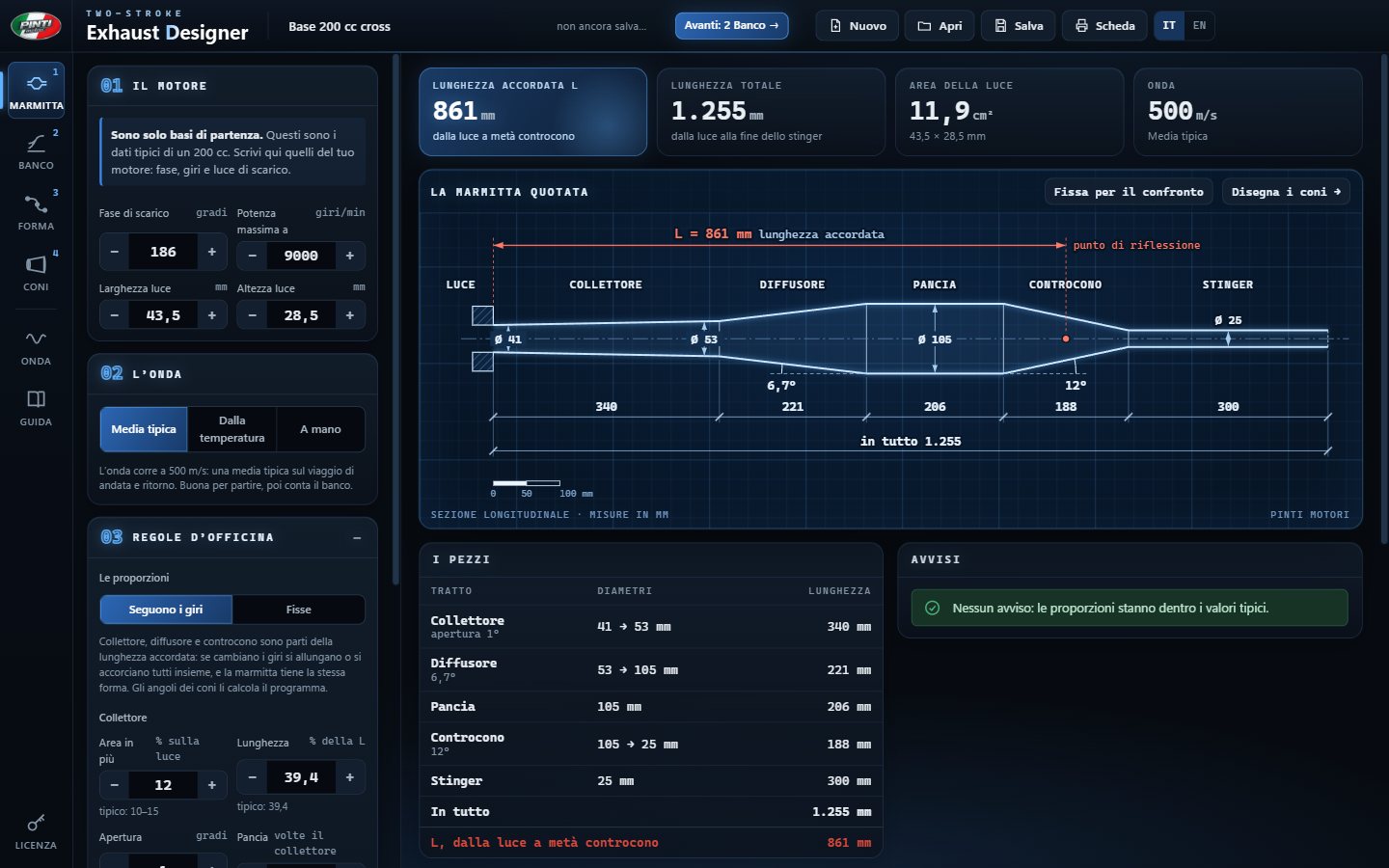
Chamber
Enter the exhaust duration, the rpm and the port. The program calculates header, diffuser, belly, baffle and stinger, and draws them with all the dimensions. Change a number and the drawing updates at once.
To get started pick the type, road, enduro, motocross or GP, and the displacement from 50 to 250 cc: a theoretical base, then you enter your own engine's figures.
-

Dyno
The simulated dyno fits the chamber to an engine with your sizes and tells you at what rpm it works best and over what range it works well. Lengthen the belly or narrow the stinger with − and +, and you see at once where the output moves.
Have you tested the chamber on a real dyno? Enter the rpm where it worked best: the program finds the wave speed of your engine, and the next chambers come out already calibrated.
The dyno does not give horsepower: it tells you where the chamber works, which is what you need to build it.
-
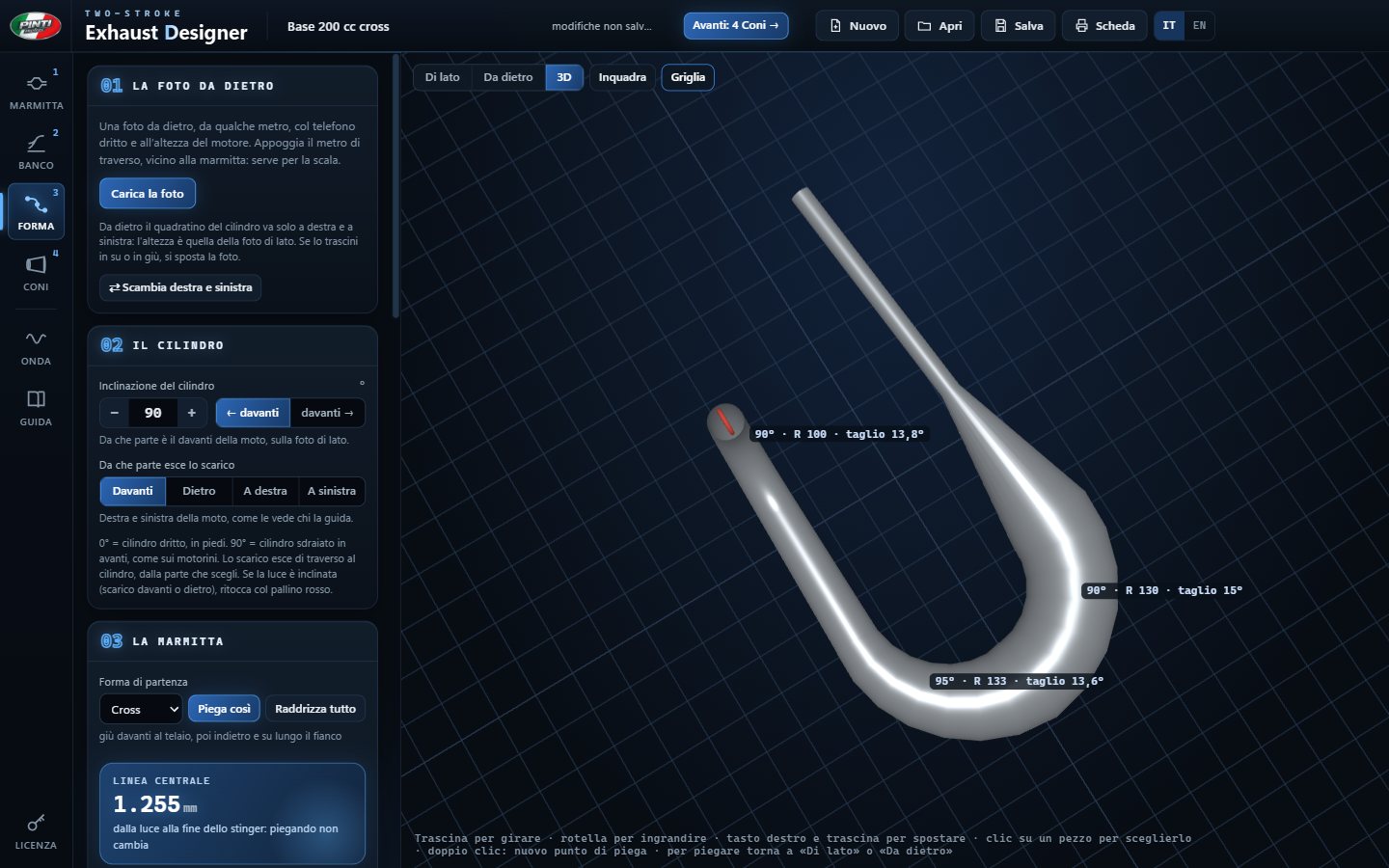
Shape
Load photos of your bike, from the side and from behind, set the scale and bend the chamber on the photo. Every bend is written in numbers: degrees, radius, segments, cut between segments. You see it in 3D and the program warns you if it touches the frame.
Then you print the 1:1 template to hold against the bike, before cutting any metal.
-
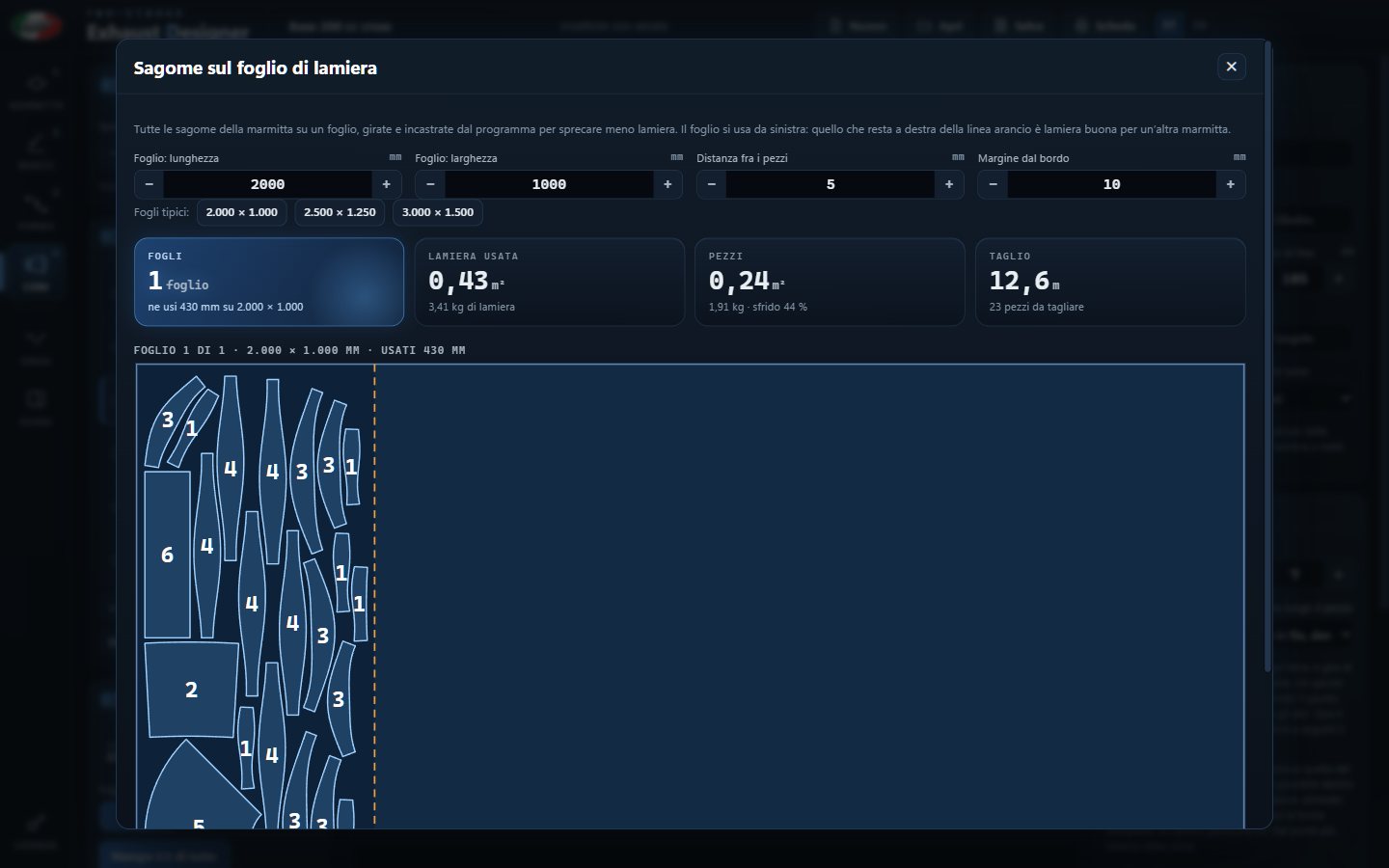
Cones
Every piece unrolls flat: templates with dimensions, PDF to print at 1:1 scale, DXF for laser cutting, marking-out figures to draw by hand. The welds can all go in one line, so when you assemble the pieces aligned you get the shape you drew.
The program also lays all the templates out on a metal sheet and tells you how much metal you need, its weight and the cutting length: the figures to ask the cutting shop for a price.
What's inside
From engine to sheet metal, in one program
- Expansion chamber calculation. From exhaust duration, rpm and port, with proportions that follow the rpm and a wave speed you can calibrate.
- Base designs. Road, enduro, motocross and GP, each with its own wave speed, in 50, 70, 100, 125, 150, 180, 200, 220 and 250 cc.
- Simulated dyno. Pressure waves in the pipe and an engine with your sizes. Changes with − and +, comparison of two chambers, calibration with the real dyno.
- Waves on the degree wheel. The diffuser suction and the baffle push, in degrees, against the exhaust and transfer timing.
- Shape on the bike. From the side, from behind and in 3D, with equal segments in every bend, measurements on the drawing and clearance checks.
- Templates for the workshop. 1:1 PDF on A4 or A3 sheets, DXF in millimeters with true arcs and separate layers for cutting and marking, marking-out figures, templates on the metal sheet.
- Guide and manual. Inside the program, in English and Italian.
Coming very soon
As soon as it is available, you will find it here.
Two-Stroke Exhaust Designer is in development and will be available very soon.